Netscaler Troubleshooting using command line
Credit: https://c4rm0.wordpress.com/netscaler-troubleshooting-using-command-line/
In this blog i will go through some Netscaler CLI/Shell commands i use for troubleshooting Netscaler issues and commands i use to test and gather information about the configuration on the Netscaler
First of all download and open up putty and connect to the NSIP using the nsroot credentials

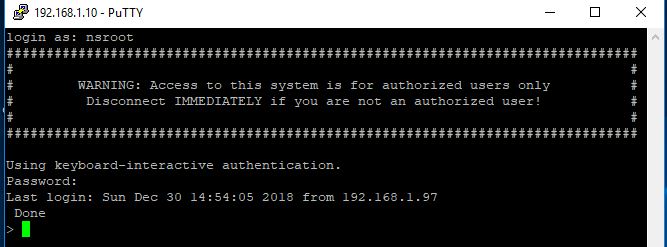
Show Commands – are useful for gathering information such as which features and modes are enabled and things such as Netscaler IP’s, static routes, VLANS and interfaces. Below is a list of show commands i typically use
show ns info


Show version

Show interface

show ns ip

show route

show vlan

show hardware

show lb vserver


show persistentsessions

show ha node

show vpn vserver

show aaa stats

show aaa session

show service

show running | more

show connectiontable | grep IPaddresss

Troubleshooting commands – are useful when troubleshooting issues such as connectivity and performance issues as well as authentication issues and configuration issues
Ping

traceroute

Telnet

Show techsupport (The capture can be pulled off the netscaler using Winscp and uploaded to Citrix Insight Service / Citrix smart check for Analysis)

cat /var/log/ns.log (read the ns.log file)

nsconmsg -K newnslog -d event (view the newnslog file)

nsconmsg -K newnslog -d consmsg (view the console messages)

nsconmsg -d current -g pol_hits (View the policy hits for a user logging in and connecting)
cd /tmp cat aaad.debug (View authentication information)


Network Packet captures – Are usefull when you are troubleshooting connectivity problems such as firewalls between your Netscalers and backend VDA’s
nstcpdump.sh host 192.168.3.219 and port 2598

start nstrace -size 0 -filter “connection.ip.ne(127.0.0.1) && connection.ip.eq(192.168.3.210)”

packet captures can be found in cd /var/nstrace and pulled off with winscp

Important locations on the Netscaler
cd /var/log

cd /var/nslog

cd /var/crash

cd /var/core

cd /nsconfig

cd /nsconfig/ssl

cd /nsconfig/license
Other Commands
save c or save config

set ha node -hastatus stayprimary/staysecondary


stat aaa

stat lb vserver

stat ssl

All done 
